How it works

Five steps from calendar to confirmed.

No setup project, no IT ticket. Connect a calendar, add your people, and you're sending availability that books itself in about five minutes.

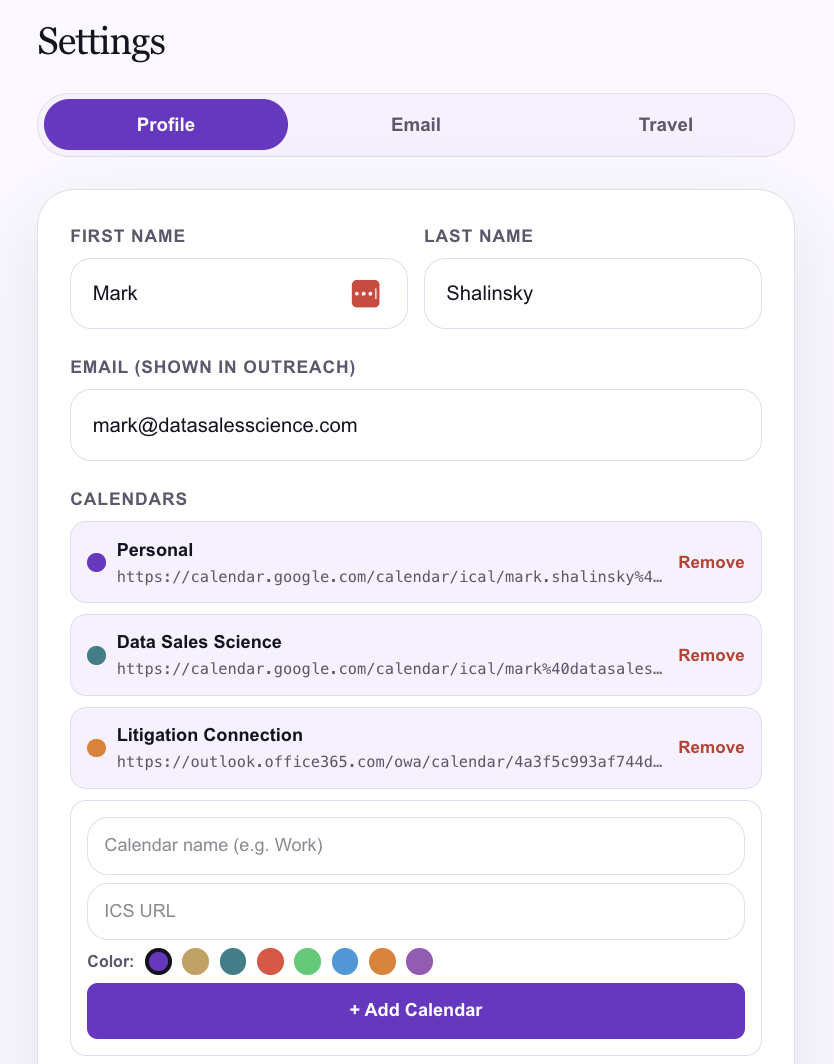
settings · calendars
Settings showing multiple calendars connected by ICS URL with color dots
1Connect your calendar

Bring in every calendar you live by.

Add Google, Outlook, or any Apple/ICS calendar by URL, and give each one a color. SendMyAvailability reads them all together, so personal conflicts, client meetings, and travel never collide with a booking.
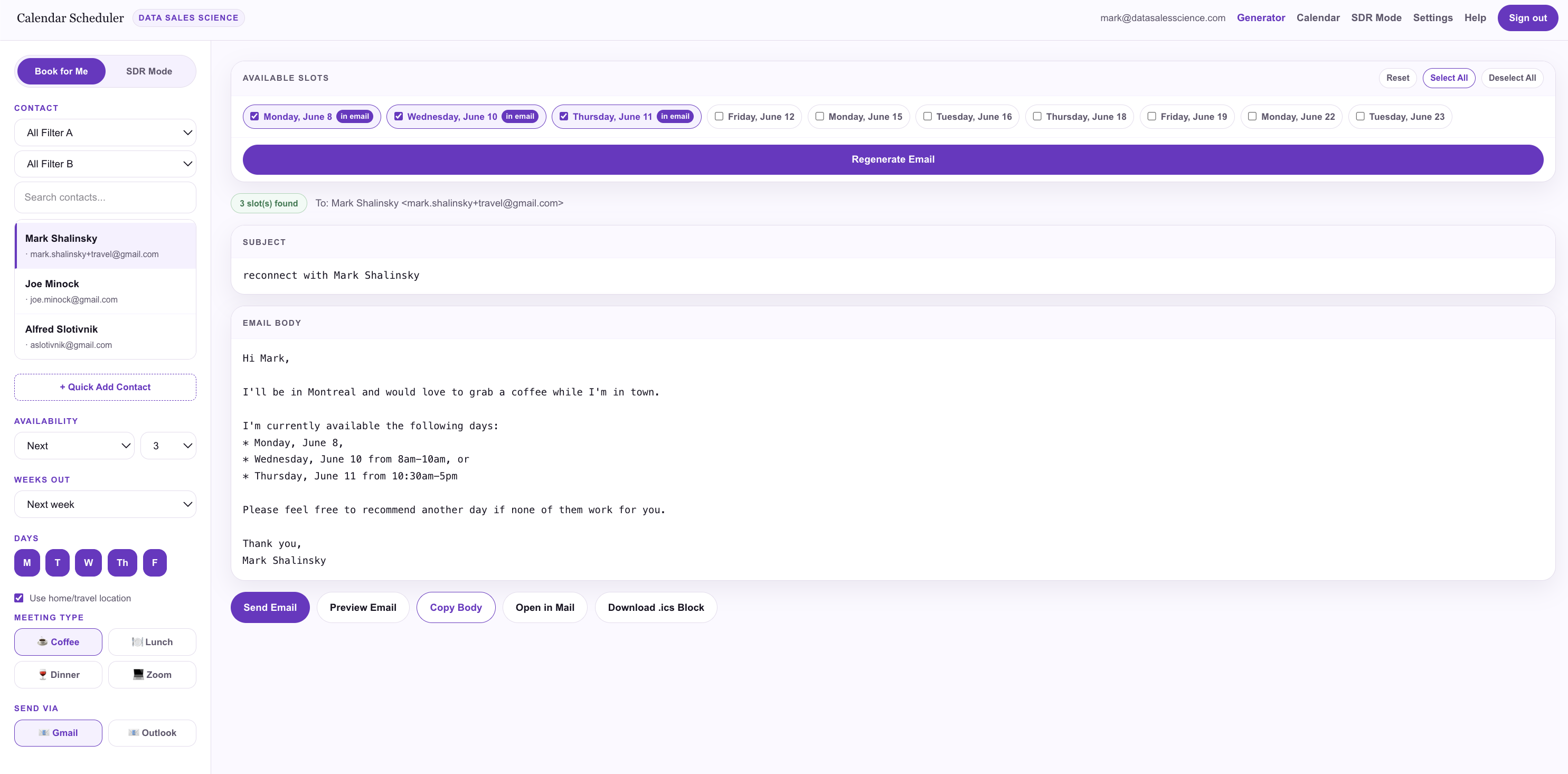
generator · contacts
The generator with a searchable contact list in the sidebar
2Add your contacts

Your people, one click away.

Import a CSV or add contacts manually. They live in a searchable sidebar with filters, so when it's time to reach out, the right prospect is always right there — no spreadsheet hunting.
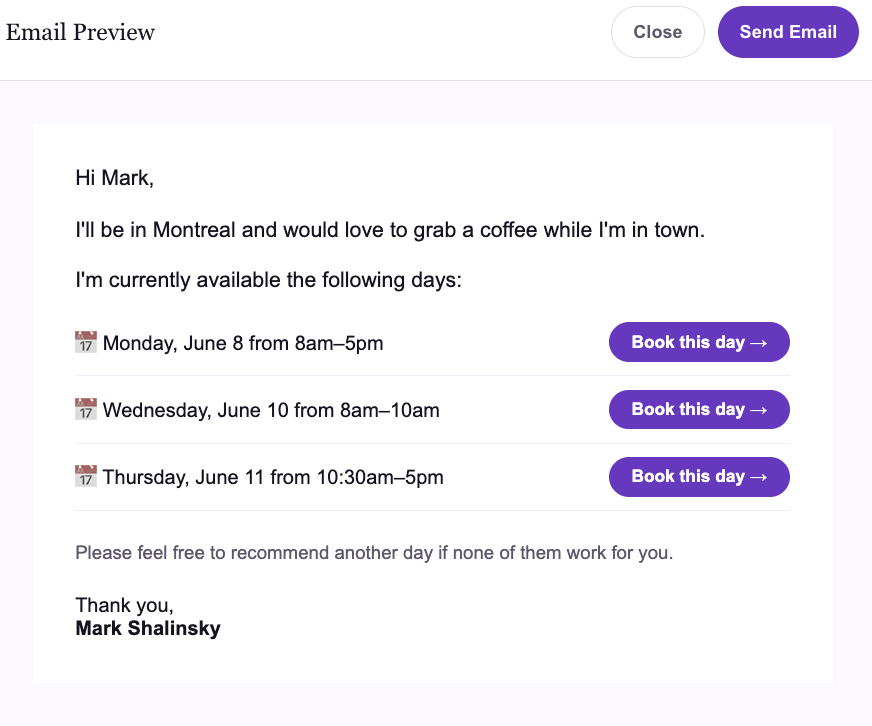
generator · email preview
A generated availability email with Book this day buttons for each offered day
3Generate the email

A personalized email, written from your calendar.

Pick a contact and your availability rules. We scan your open time and produce a personalized email — a friendly opener, your real free days, and a Book this day → button beside each one. They never have to ask "when are you free?"
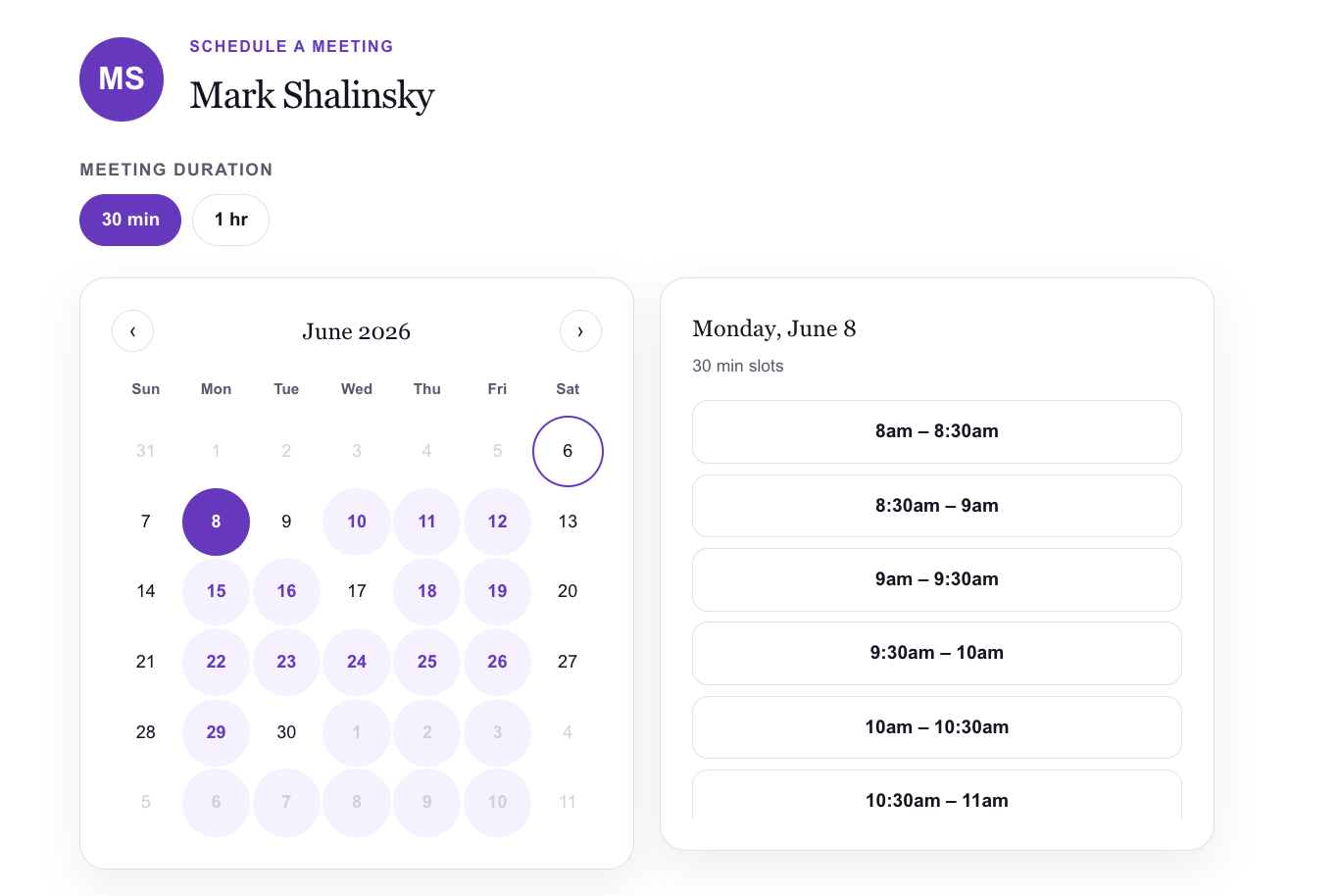
generator · available slots
The Available Slots panel with day chips, in-email badges, and a regenerate button
4Customize your slots

Offer exactly the days you want.

Every candidate day shows up as a chip. Toggle them on or off, watch the "in email" badges update, and regenerate the copy on the spot. You decide what you offer — the app just does the calendar math.
sendmyavailability.com/book/mark
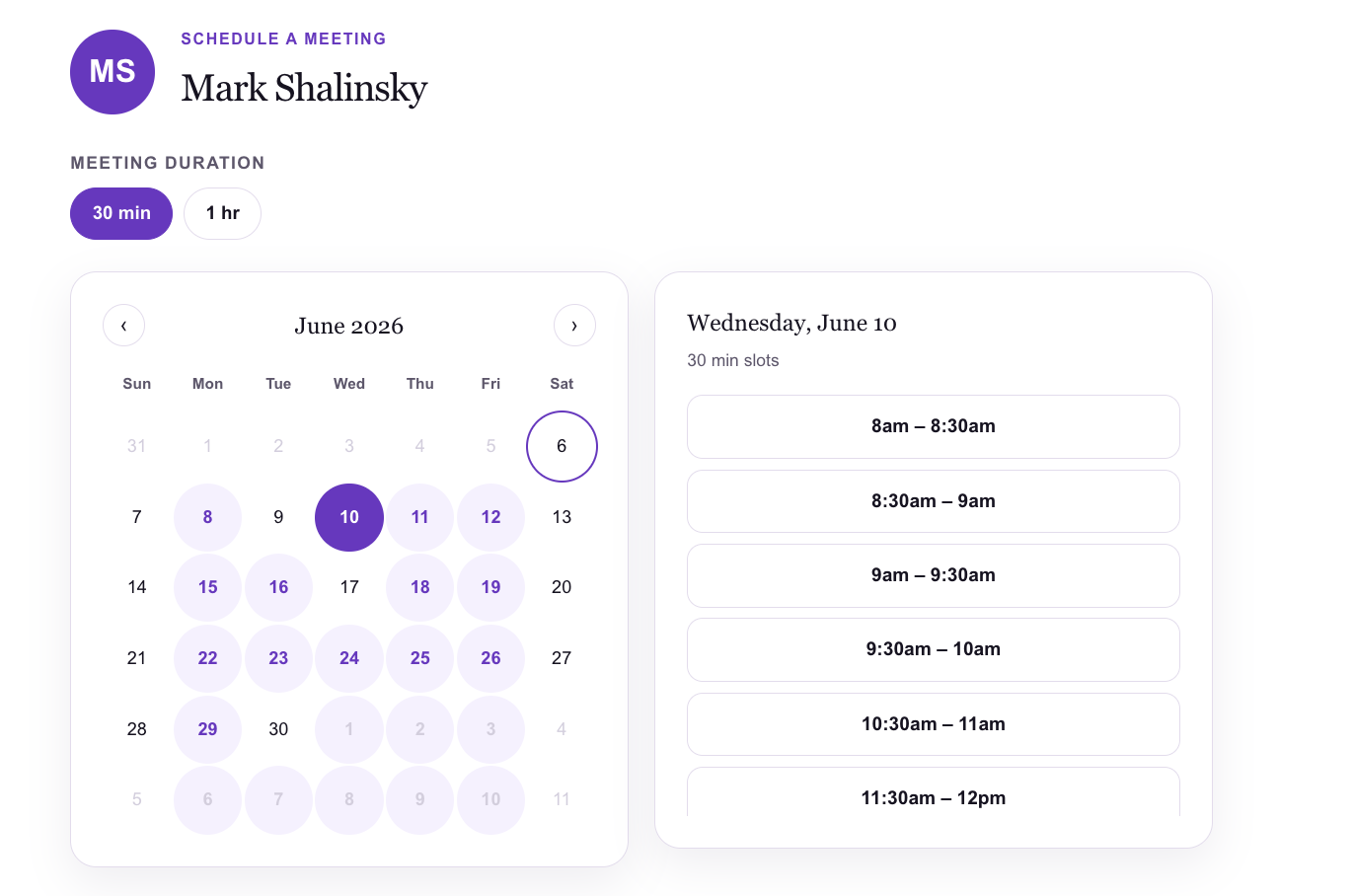
The booking page with available days highlighted and 30-minute slots listed
5Send & get booked

They click. They pick. It's confirmed.

Send from your own Gmail or Outlook. Your prospect clicks Book this day, lands on a page showing only the window you offered, picks a slot, and you both get a confirmation. No reply chain, no friction, no lost momentum.

The whole loop

Connect → Add → Generate → Customize → Booked.

1

Connect calendars

Google, Outlook, Apple/ICS — all read together.

2

Add contacts

CSV import or manual, searchable and filterable.

3

Generate & customize

Personalized email with the exact days you choose.

4

Send & get booked

From your inbox; they book in one click.

Ready to send your first one?

Connect a calendar and have an availability email in your prospect's inbox before your coffee's cold.