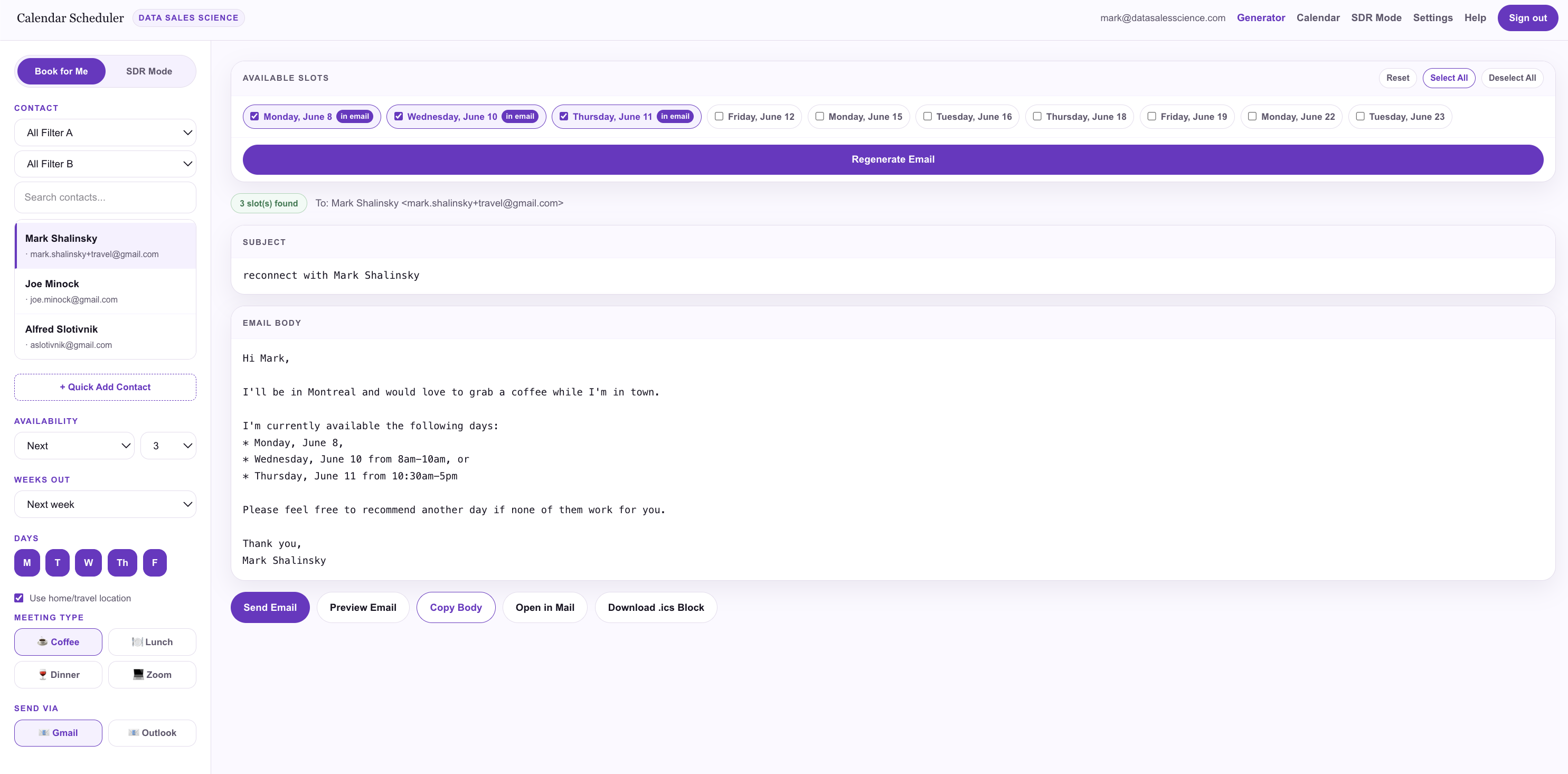
Pick a contact. Get a finished email.
Choose who you're reaching out to and how you want to offer time — next available, by week, mornings only, afternoons only. We read your ICS calendar, find the real open slots, and write a personalized email with a Book this day → button for each day.
- Availability modes for any outreach style
- Personalized opener with the contact's name
- One booking button per offered day
- Send via Gmail or Outlook, or copy and paste
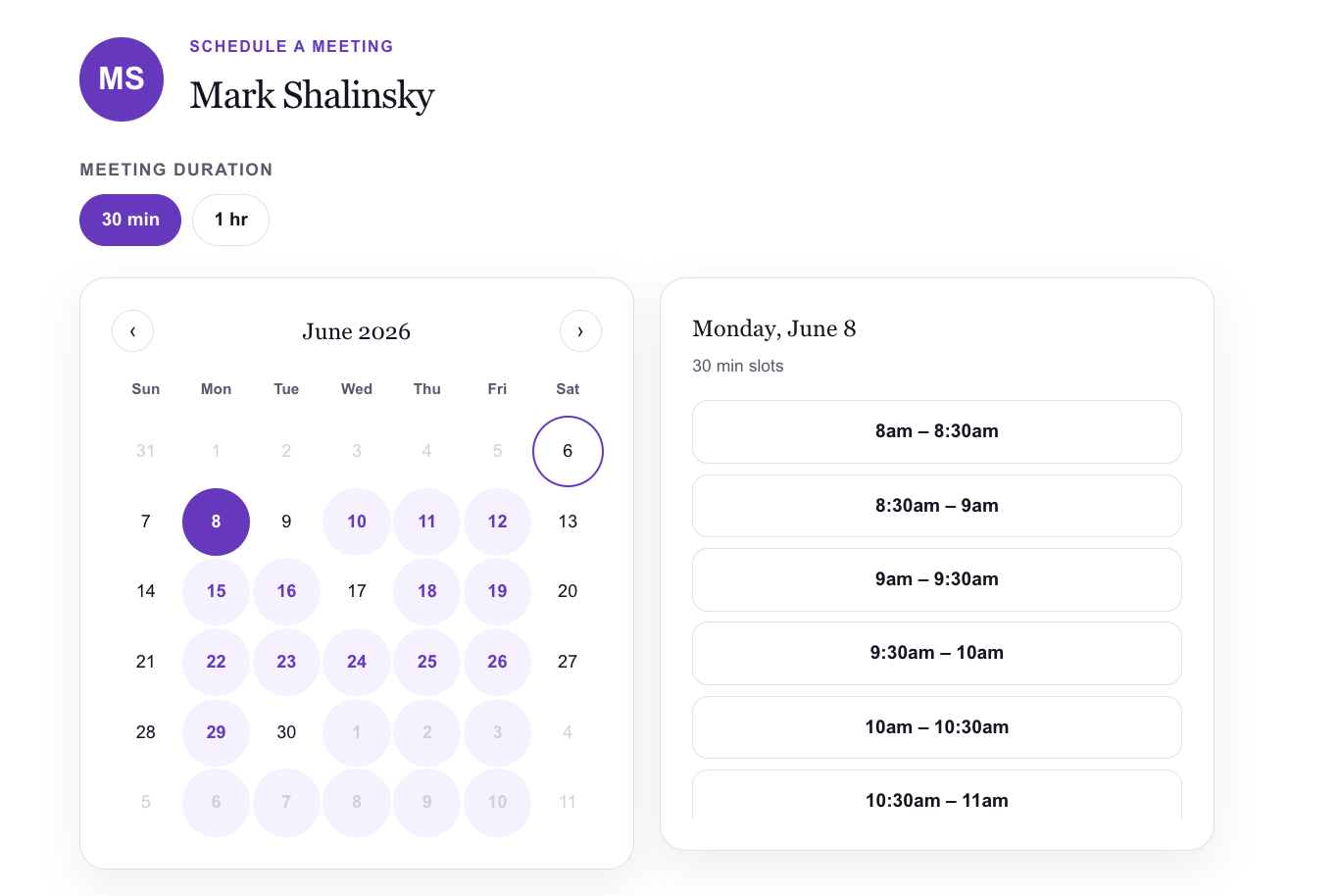
Fine-tune before you hit send.
The Available Slots panel shows every candidate day as a chip. Check or uncheck individual days, see exactly which ones are in the email, and regenerate the copy instantly. You stay in control of what you offer.
- Every open day at a glance
- "In email" badges show what you're sending
- Regenerate copy with one click
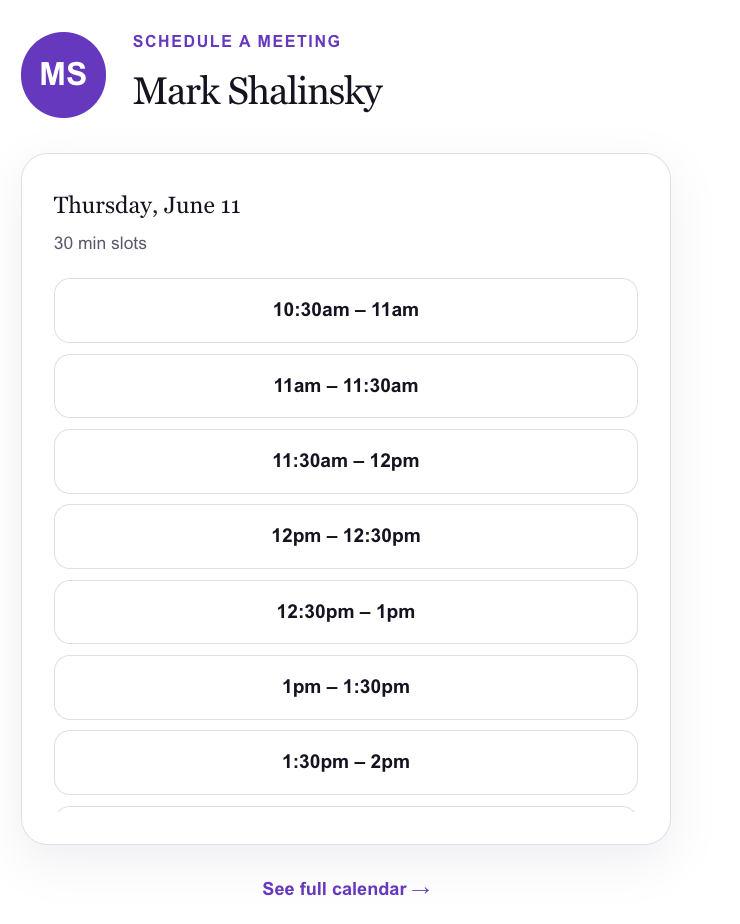
They only see the time you offered.
Say "Wednesday, 8–10am" and that's all your prospect can book. No scanning a wall of slots, no second-guessing — just the window you advertised, with a quiet "See full calendar" link if they need more options.
- Time-constrained view from the email link
- "See full calendar" escape hatch when needed
- Respects every connected calendar — no double-booking
- Buffer times before and after meetings
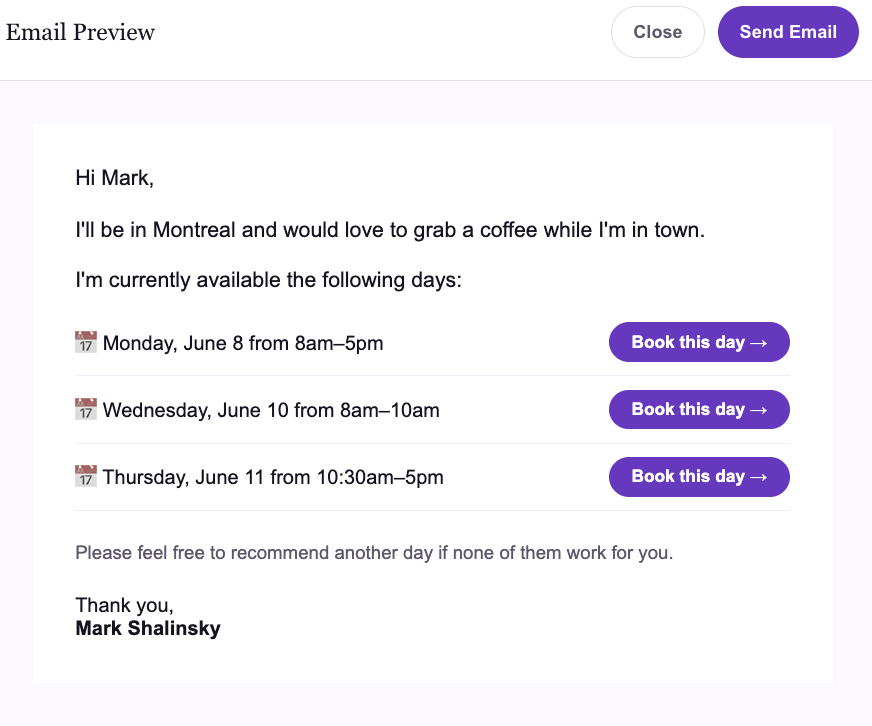
"I'll be in town" — written for you.
Set your home city and add upcoming trips. When you email a contact in a city you're visiting, the opener automatically offers to meet while you're there — turning a business trip into a calendar full of coffees, lunches, and dinners.
- Home location and travel schedule in Settings
- Auto-generated openers per destination
- Works for coffee, lunch, dinner, or Zoom
Book for your clients, not just yourself.
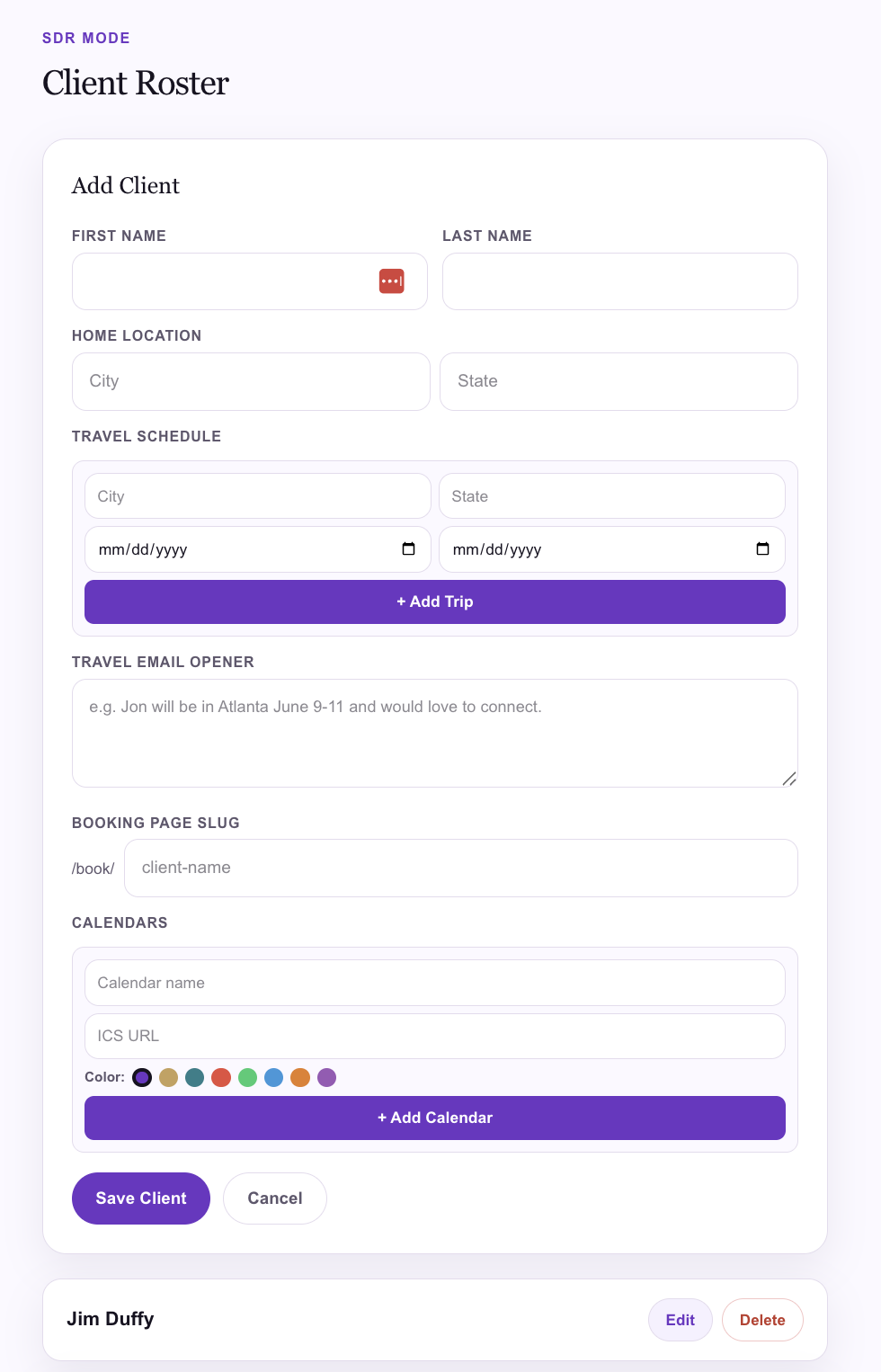
Manage scheduling for multiple people from one login. Each client gets their own calendars, contacts, booking page, home location, and travel schedule — and every email is signed with their name. Going on a road trip? Schedule meetings on their behalf in every city they visit.
- Separate calendars and contacts per client
- Emails signed with the client's name
- Each client's own booking page and slug
- Built for agencies, SDR firms, and EA teams
Sent from you. Confirmed automatically.
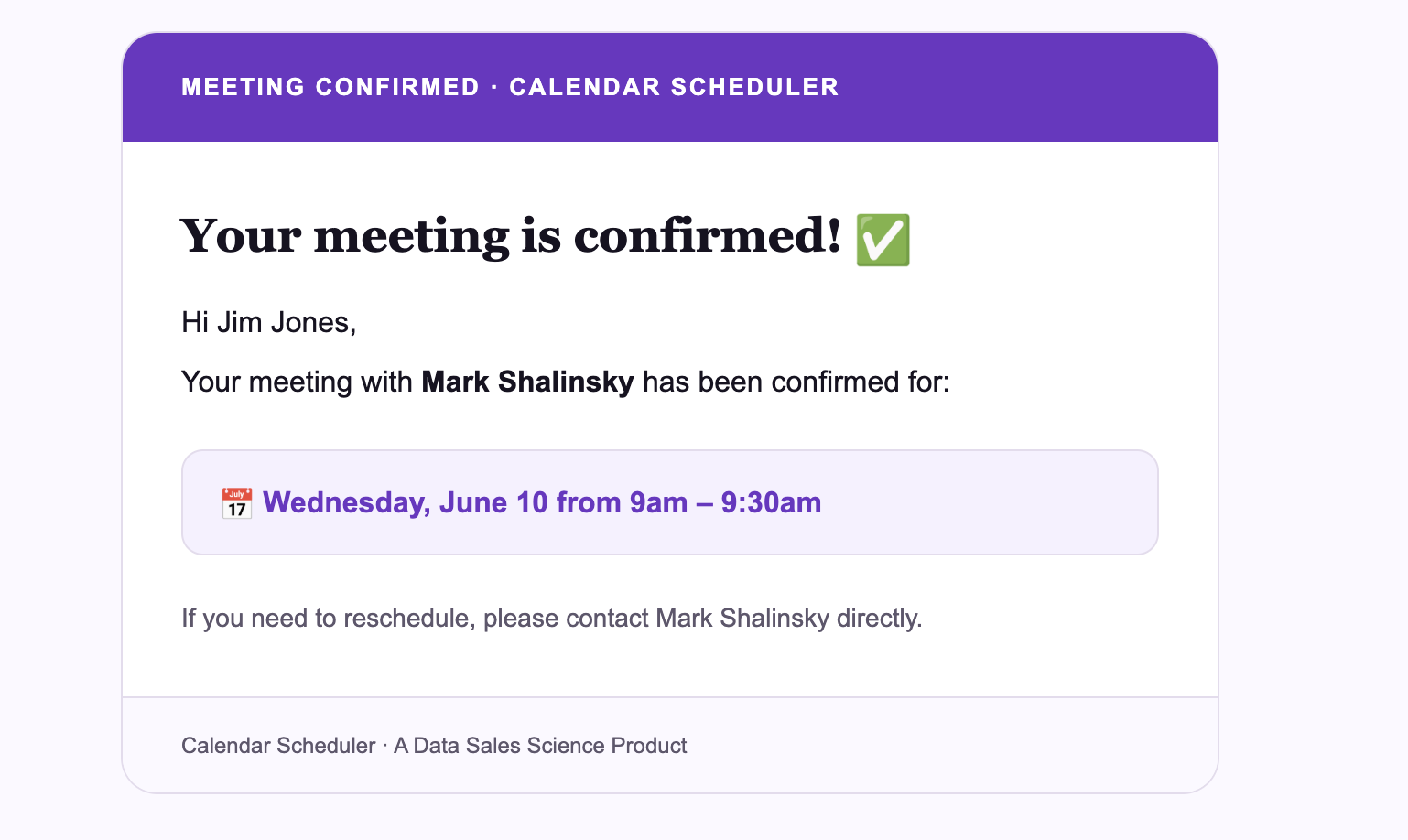
Connect your Gmail or Outlook once via OAuth and every availability email sends from your own address — so it reads like a personal note, not a scheduling bot. When a prospect books, both of you get a clean confirmation.
- OAuth connect — tokens refresh automatically
- Emails come from your real address
- Automatic confirmation when a slot is booked
Send availability without leaving LinkedIn.
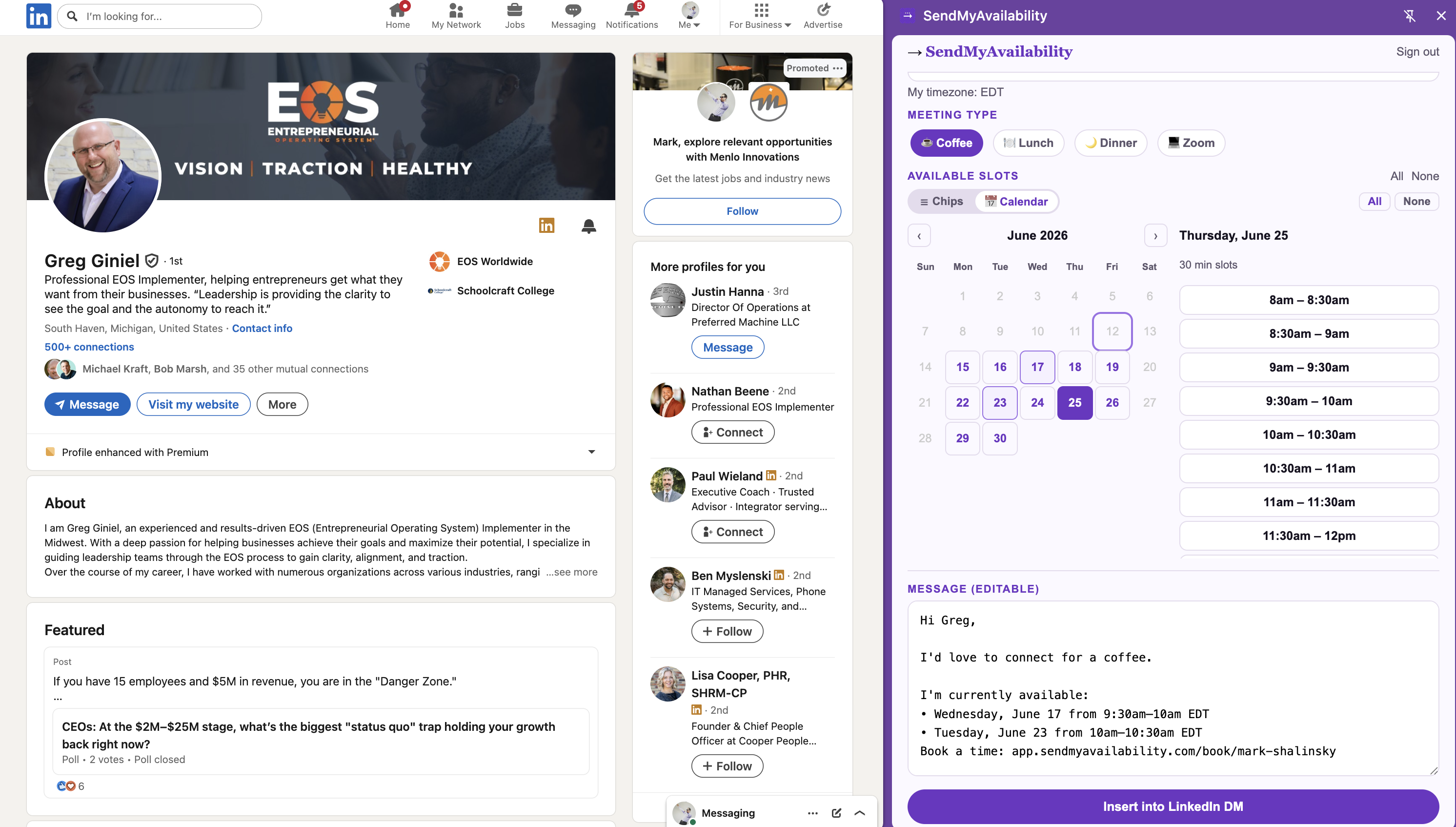
LinkedIn is where B2B relationships start. The Chrome extension reads a prospect's name from the page, shows your open slots, and drops a personalized availability message right into the DM composer — one click, no tab-switching, no copy-paste.
- Reads the prospect's name from the page
- Pick a meeting type — coffee, lunch, dinner, or Zoom
- Your slots (or your client's, in SDR Mode)
- Inserts the message into the DM composer